
Stringing in 3D Printing: 5 Slicer Settings That Fix It
Fine threads like cobwebs between two towers, little hairs on corners, blobs on smooth surfaces: that is stringing. It is one of the most common print defects and hits almost everyone who prints PETG or TPU. The good news is that a few slicer settings usually fix it.
How stringing happens
When the nozzle travels from one spot to another without printing, molten filament is still under pressure in the hotend. Some of it oozes out and drags a thin thread behind the nozzle. How bad it gets depends on the material, the temperature, your retraction settings and how much moisture the filament has absorbed.
1. Tune retraction
With retraction the extruder pulls the filament back briefly before the nozzle moves, which takes the pressure out of the hotend.
- Direct-drive extruders (extruder on the print head): usually 0.5 to 2 mm
- Bowden extruders (extruder on the frame, filament runs through a tube): usually 4 to 7 mm
- Speed: 25 to 45 mm/s is a good starting point
Change values in small steps, for example 0.2 mm at a time on a direct-drive machine. Too much retraction can pull molten plastic into the cold part of the hotend and, in the worst case, cause a clog. Most slicers include a retraction test that lets you compare several values in one print.
2. Lower the temperature
Filament that is too hot runs thin and drips more easily. Drop the nozzle temperature in 5 °C (9 °F) steps and print a small temperature tower each time. Stay inside the range printed on the spool: parts printed too cold bond poorly between layers and snap more easily.
A filament dryer is the most reliable cure for wet filament:
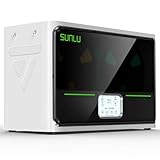
* Affiliate link: if you buy through it, we earn a small commission at no extra cost to you. Learn more
| Material | Typical nozzle range | Stringing tendency |
|---|---|---|
| PLA | 190–220 °C (374–428 °F) | low |
| PETG | 230–250 °C (446–482 °F) | high |
| ABS / ASA | 240–260 °C (464–500 °F) | medium |
| TPU | 220–240 °C (428–464 °F) | very high |
3. Travel faster
The less time the nozzle spends crossing open gaps, the less time filament has to ooze. Modern printers travel at 300 mm/s and more anyway. On older machines it is worth raising the travel speed.
4. Keep travel moves inside the part
Many slicers can route travel moves so that the nozzle stays over the model instead of crossing gaps. The option is called “Combing”, “Avoid crossing walls” or similar. “Wipe” helps too: the nozzle wipes briefly across the part at the end of a line.
5. Dry your filament
Wet filament is one of the most common and most overlooked causes of stringing. Water turns to steam in the nozzle and pushes extra material out. If it crackles or pops while printing, shows tiny bubbles or has a rough surface, the filament is probably damp. Our guide on how to dry filament explains how.
Quick fix: remove stringing after printing
Fine threads disappear quickly with a pass of a heat gun on low, which makes them shrink back. Thicker leftovers can be trimmed with a craft knife. That is only cosmetic, though. It is better to fix the cause.
In short
- Check retraction and adjust in small steps
- Lower the nozzle temperature by 5–10 °C
- Raise travel speed
- Keep travel moves inside the part and enable wipe
- Store filament dry and dry it when needed